How to book an appointment
Who this is for
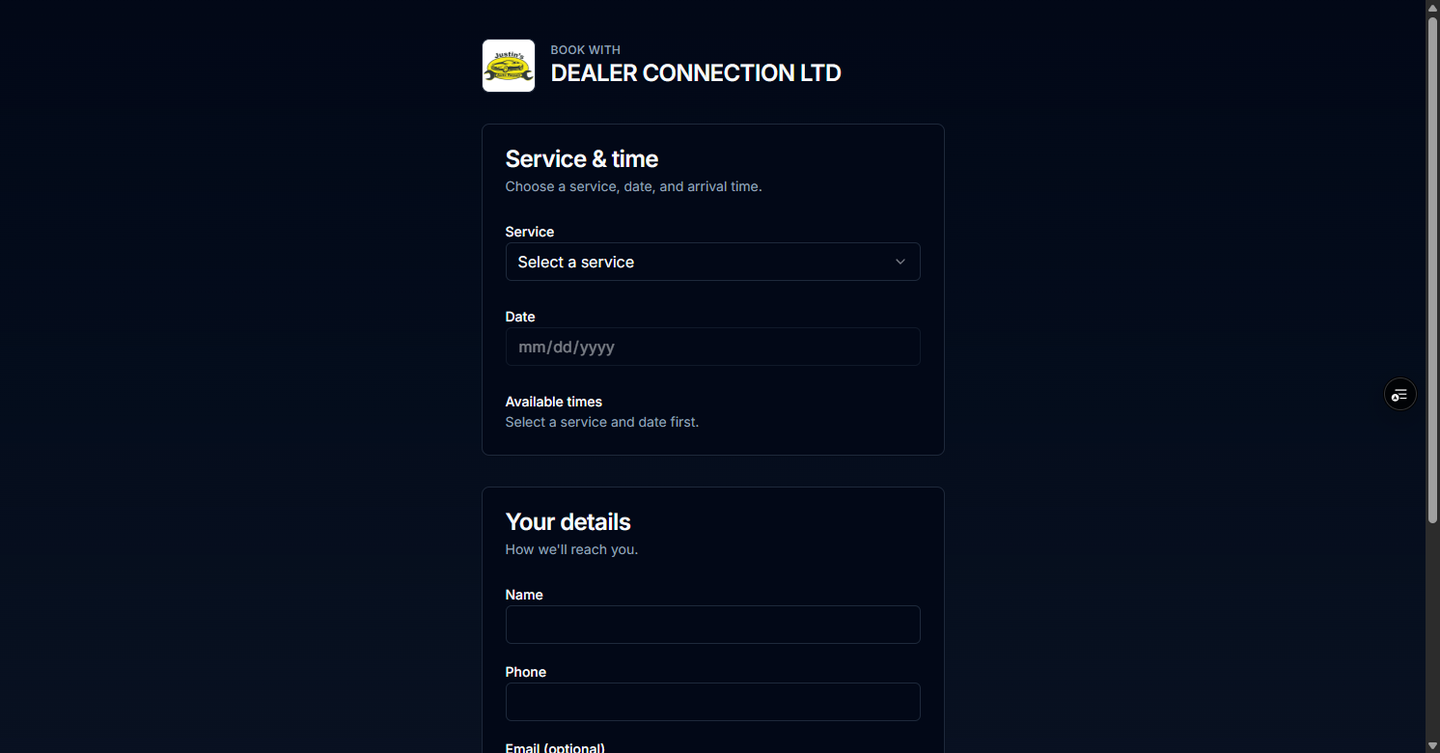
You want an appointment at the shop and you have the shop's booking page. {slug} in the address is the shop's short name. You do not need a BayOps account. Shop staff can send customers this guide.
Before you start
- The shop has turned on scheduling, and at least one service is offered for online booking.
- You can book up to the shop's lead time ahead. The usual limit is 14 days. Closed days have no times.
Steps
- Open the shop's booking page.
- Choose the service.
- Choose a date that shows open times.
- Choose a time.
- Enter your name, phone, and the other details the form asks for.
- Choose Confirm booking.
How you know it worked
The page shows Confirmation. The shop can also text the number you entered to confirm the appointment.
Common snags
- The page is missing or says booking is unavailable. Online booking is off for that shop. Call the shop.
- No times appear. That day is outside the booking window, the shop is closed, or the bays are full. Try another date.
- You are booking for a fleet unit and you already have a fleet link. Use the fleet driver portal so the appointment stays on that unit.