How to assign a storage location
Who this is for
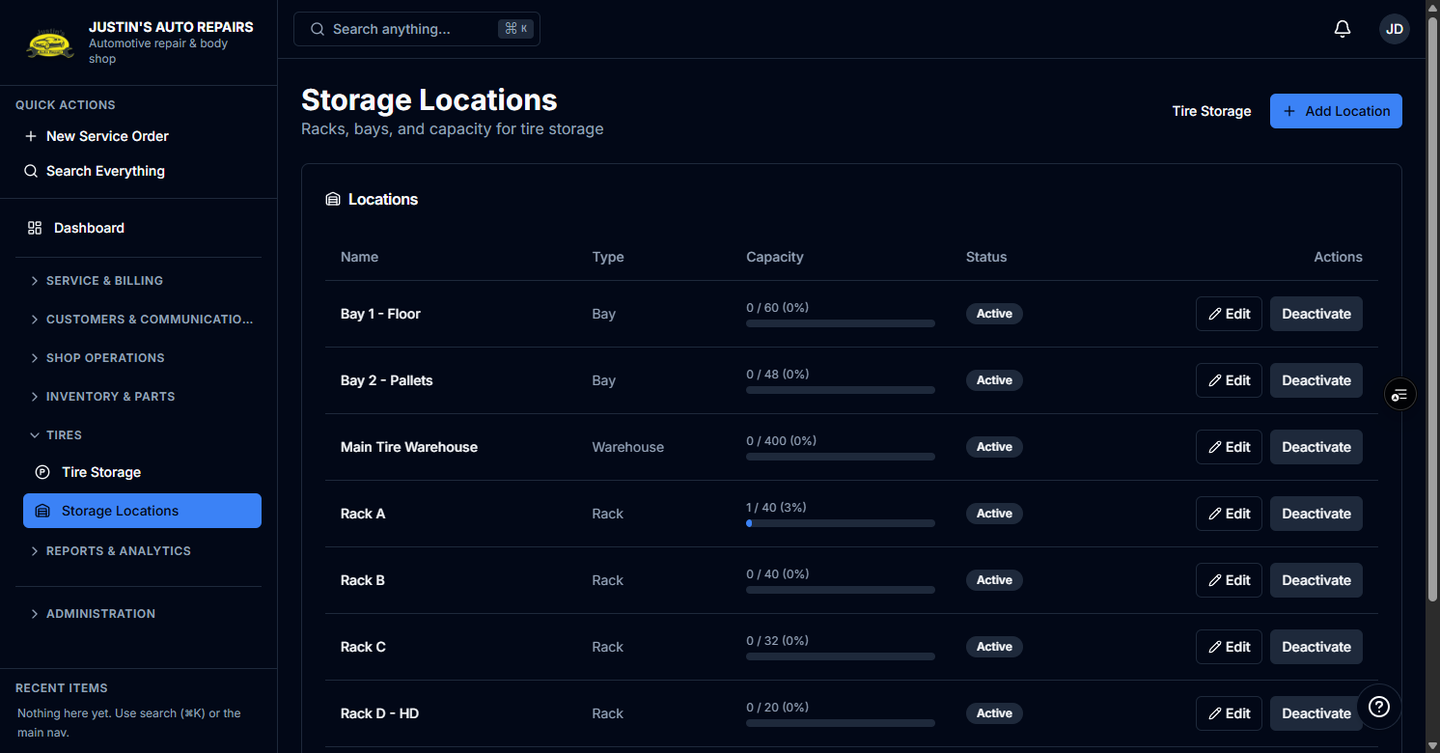
You name the racks the shop uses and put a tire set in one of them.
Before you start
- Only a manager or owner can manage Storage Locations. Other people who handle tire storage can still see the location on a set.
- Capacity is the number of slots. You cannot set capacity below the number of sets already there.
Steps
- Open Storage Locations.
- Choose Add Location.
- Enter the name. Type starts as Rack. Change it if this spot is a warehouse, shelf, or bay.
- Set Capacity (slots). It starts at 20.
- Choose Create.
- Open Tire Storage.
- Open the set.
- Choose Move location.
- Choose the location.
- Choose Save.
How you know it worked
The location row shows occupied slots against capacity. The tire set names that location. Choosing Unassigned clears the location.
Common snags
- When occupied slots pass capacity, the bar turns red and the count reads over 100%. Raise capacity only if it stays at or above the sets already stored.
- You can also pick the location on intake, before the set is saved.
- Deactivating a location hides it from new assignments. Sets already stored there keep the history.