How to read the SMS log
Who this is for
You check whether a customer text was sent, delivered, or failed.
Before you start
- SMS is a Professional module. SMS Log is hidden while it is off.
- Most shop texts also need the customer's SMS consent. A send that is skipped for missing consent does not create a log row.
- Appointment booking texts are different. They do not use this module's consent check. Do not expect every appointment reminder to be explained by a consent row.
Steps
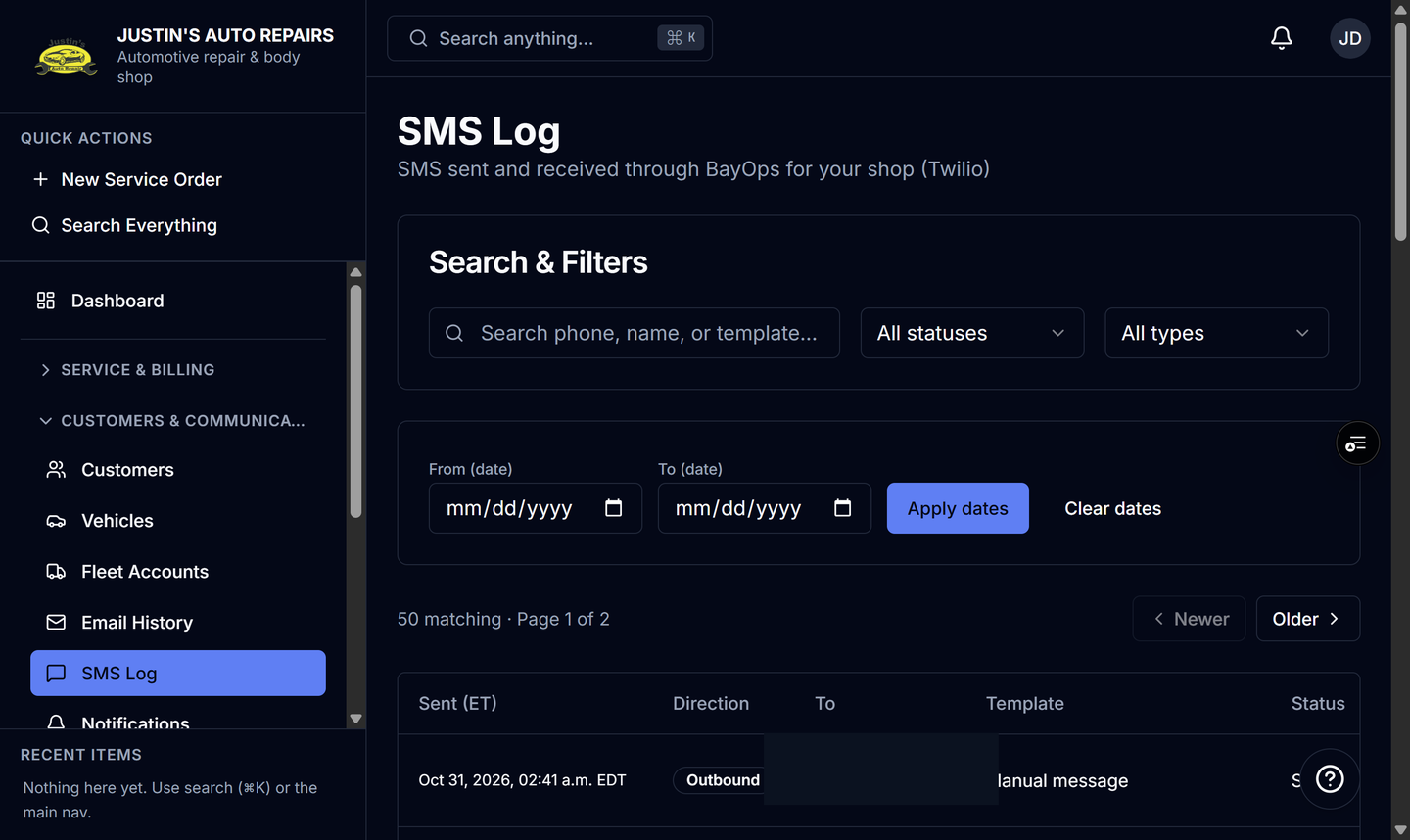
- Open SMS Log.
- Search for the phone number or the message you remember.
- Filter by status if you are looking for failures.
- Open a row to read the status and the error when it failed.
How you know it worked
A text that was attempted shows Pending, then Sent, Delivered, or Failed. Failed includes a reason, such as texting not being configured. An inbound STOP is logged as the customer opting out.
Common snags
- No row usually means the text was never attempted. Common causes are the SMS module off, the message toggle off, a blank phone, or no active consent.
- Reply STOP, UNSUBSCRIBE, CANCEL, END, QUIT, or STOPALL withdraws consent for that phone. Later texts to that number are skipped.
- You can record consent again on the customer if they ask. A START reply is handled by the carrier.
- Appointment reminders can send while the SMS module is off. They are not turned on from this log.