How to open accounting reports
Who this is for
You are the owner or the accountant preparing revenue, sales tax, accounts receivable, and parts cost for the bookkeeper.
Before you start
- Sign in to the shop.
- Deleted, draft, and cancelled invoices are left out of the revenue, tax, and aging totals.
Steps
- Open Reports & Analytics in the sidebar.
- Choose Accounting.
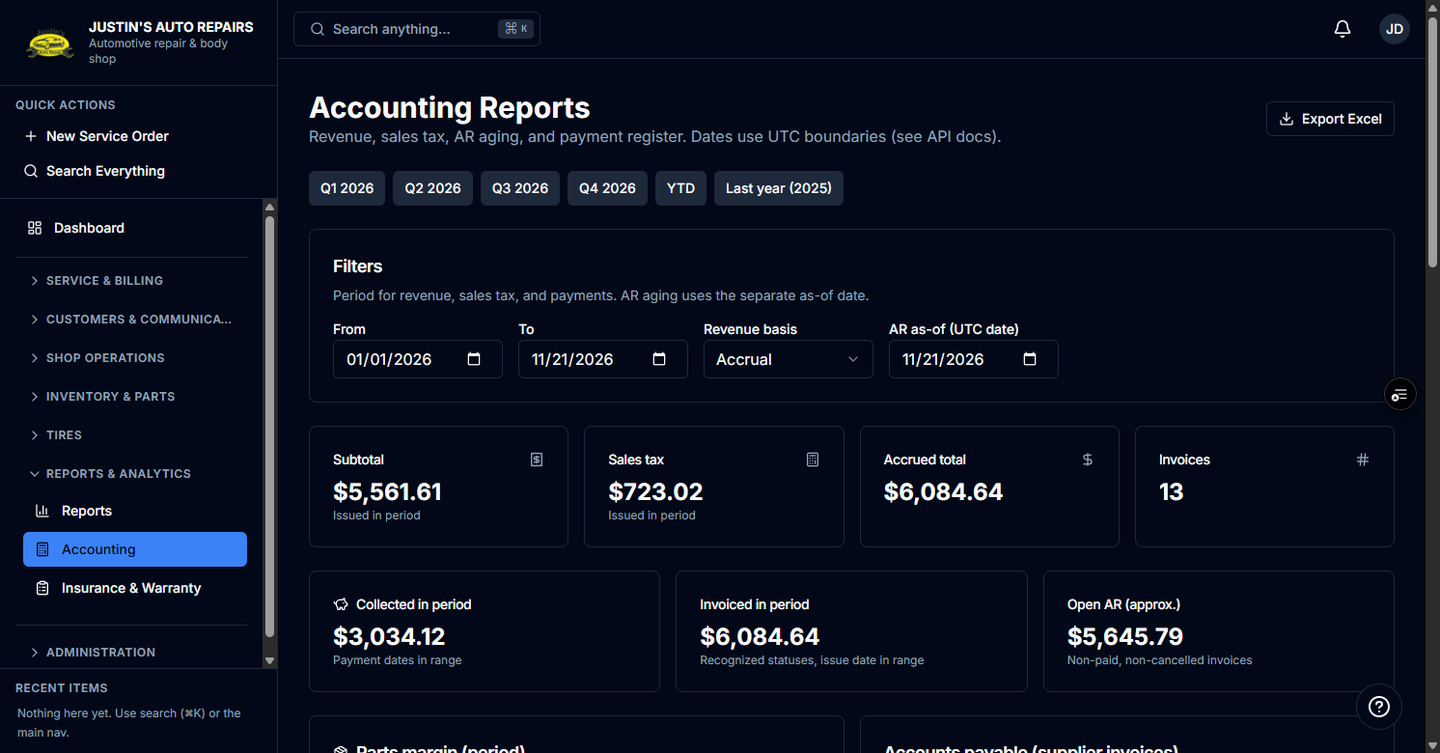
- Choose a preset such as YTD, a quarter, or Last year, or type From and To.
- Set Revenue basis to Accrual or Cash.
- Set AR as-of (UTC date).
- Read revenue, sales tax, aging, the payment register, Parts margin, and Accounts payable.
How you know it worked
The title is Accounting Reports. Cash basis labels the total Cash collected. Accrual labels it Accrued total.
Common snags
- You only see Reports, not Accounting. Managers use the summary page. This page is for the owner and the accountant.
- Export Excel is missing. The data export module is off. See Export shop data.