How to export shop data
Who this is for
You are the owner or the accountant downloading Excel files of service orders, invoices, customers, or the whole shop.
Before you start
- Data export is on for the shop. It is included with the usual plans. If the buttons are disabled, contact BayOps support.
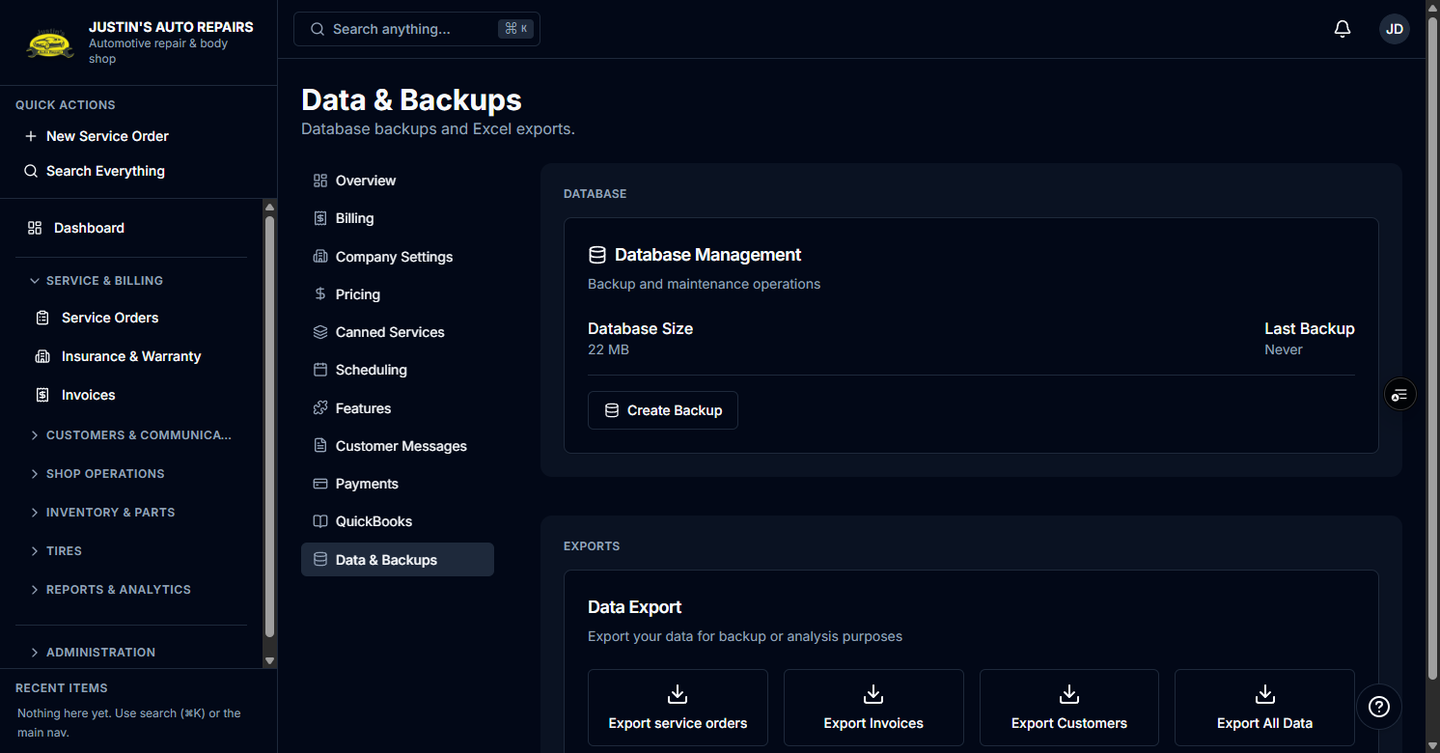
- Owners use Settings → Data & backups. An accountant who opens Settings lands on Data Export directly.
Steps
- Open Settings.
- If you are the owner, choose Data & Backups.
- Under Exports, choose Export service orders, Export Invoices, Export Customers, or Export All Data.
- Wait for the browser to download the
.xlsxfile.
How you know it worked
A success toast says Export Complete, and the file name includes the export type and today's date.
Common snags
- The buttons say Excel export is disabled, or they stay grey. The data export module is off.
- Export failed. Confirm you are the owner or the accountant, then try again.
- You expected a database backup. Owners use Create Backup on the same page. See Export or back up data.