How to start as a technician
Who this is for
A technician working assigned jobs. You see those service orders, and inspections when digital inspections are on. Customer phone and email are hidden. Quotes, invoices, and shop settings are not your screens.
Before you start
- Sign in with the email the owner invited. See How to sign in.
- Service Orders appears only when Job board is on for the shop. If it is missing, see How to see why a menu is missing.
Steps
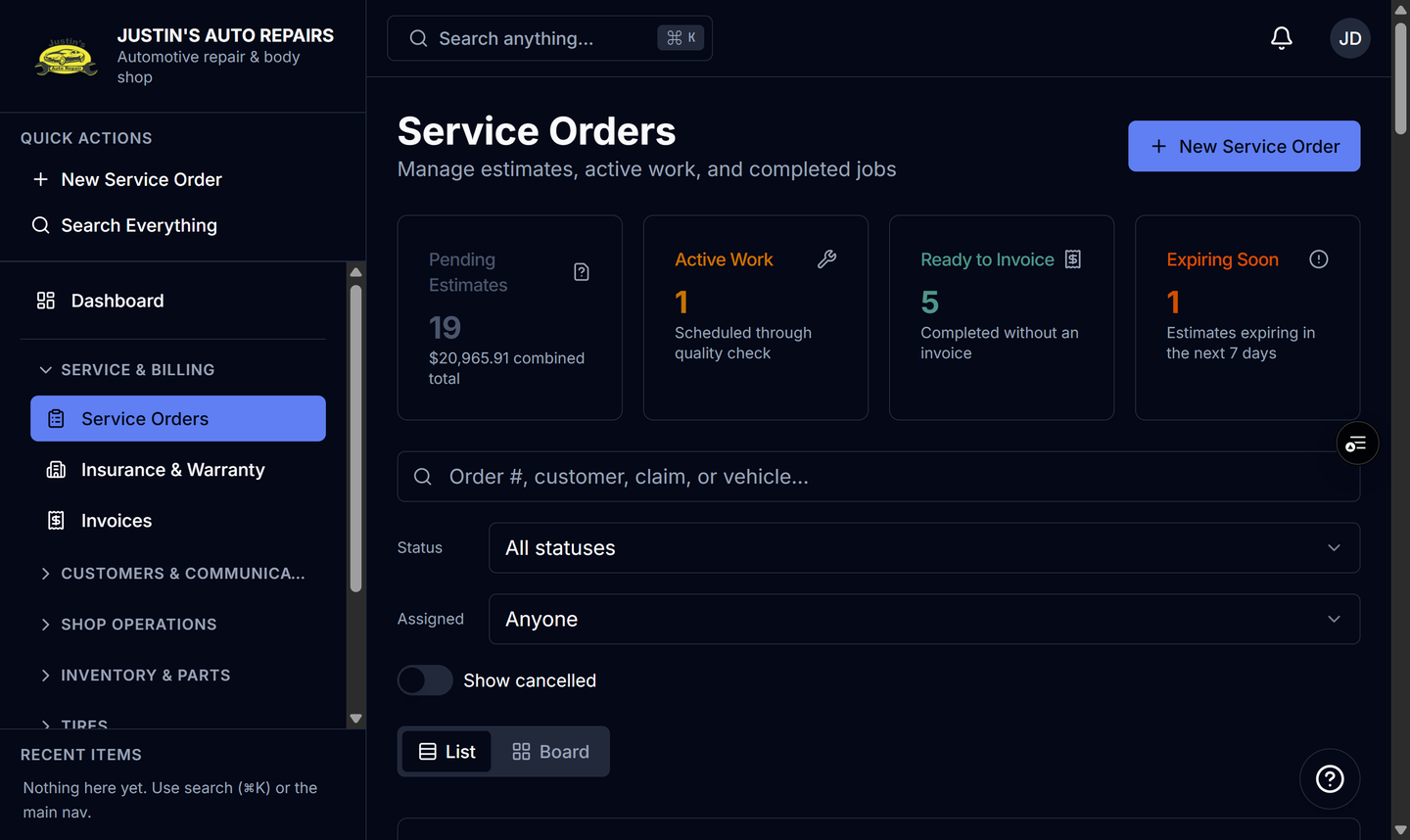
- Open Service & billing and choose Service Orders.
- Open a job assigned to you. The list is your work, not every order in the shop.
- Open Inspections under Shop Operations when that item is on the menu, and complete the inspection for the job.
- Use Search Everything to find another assigned job. Results are under My Jobs. See How to search everything.
- Open Dashboard when you want the shop counts that are not money.
How you know it worked
Service Orders opens on your assigned work. Search shows My Jobs. You do not see customer phone or email, invoice totals, or Administration.
Common snags
- With Job board off, Service Orders is hidden. Dashboard can still open.
- You do not see Total Revenue. Part cost and gross profit stay off your screens.
- Tire Storage can appear when that module is on. Storage Locations stays with the manager and owner.