How to start as an owner
Who this is for
The owner. You can do the front-desk work, the manager reports, and the shop administration: company settings, users, the audit log, profit and loss, and what the shop pays BayOps.
Before you start
- Sign in with the owner email. See How to sign in.
- If this is a new shop, the dashboard may still show the setup list. See How to finish shop setup.
Steps
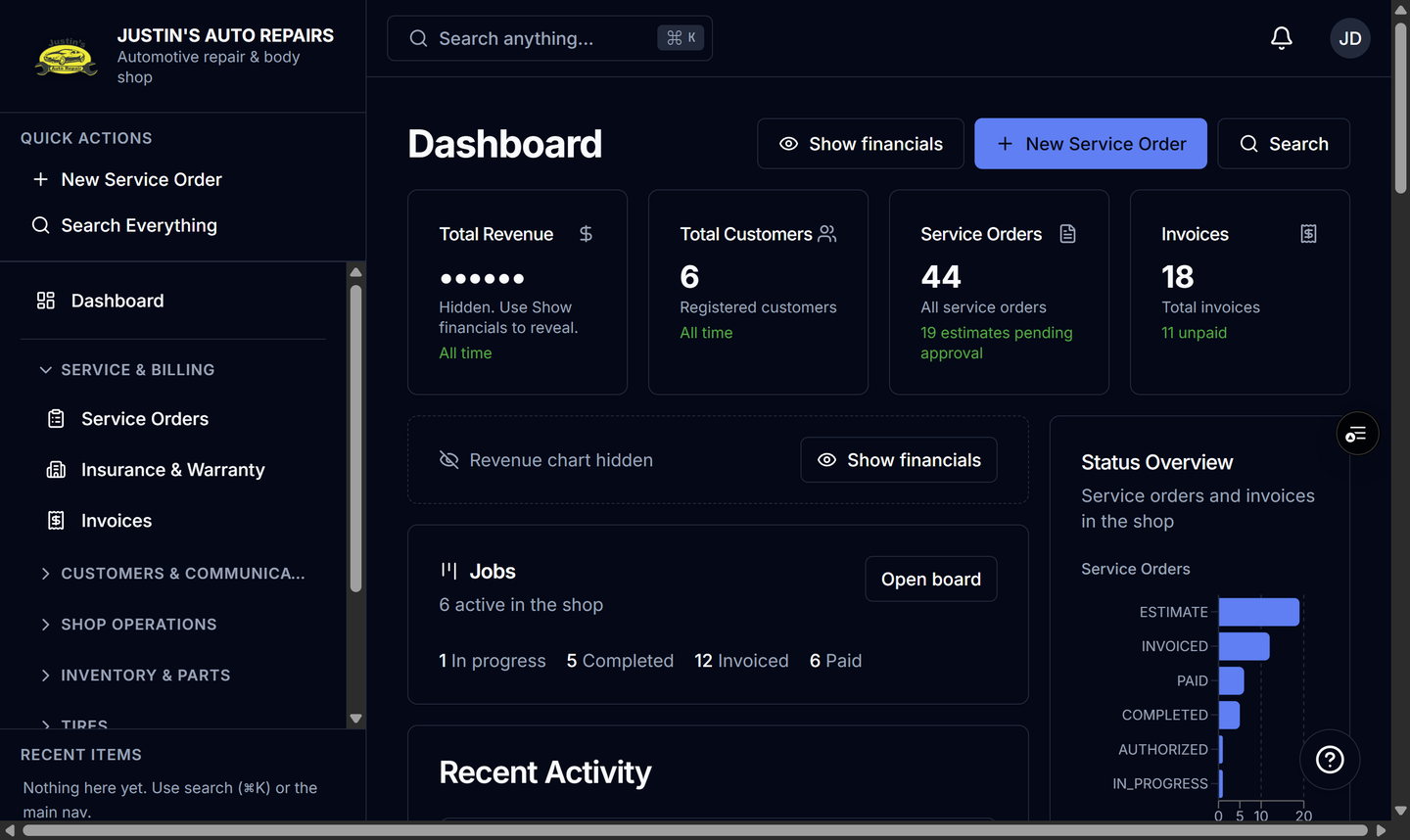
- Open Dashboard and read the count cards. Choose Show financials when you need Total Revenue. See How to read the dashboard.
- Work any To do rows on Finish setting up your shop.
- Open Administration, then User Management, and set each person’s role. See How to manage users.
- Open the account menu, choose Settings, then Billing, for the BayOps trial or card. See How to open shop billing.
- Open Service Orders for a job, or Invoices when it is time to bill. See How to create a service order and How to create an invoice.
How you know it worked
Dashboard is open. Administration includes Company Settings, User Management, Audit Log, and P&L. Show financials reveals Total Revenue.
Common snags
- Total Revenue starts hidden and hides again the next time you load the dashboard.
- Only an owner sees part cost and gross profit. Saving a job as another role does not erase a cost they cannot see.
- A Monday email summarizes last week in Eastern time. It is separate from this page.