How to start as a receptionist
Who this is for
The front desk. You work with customers, vehicles, service orders, and invoices. You do not get summary Reports, company settings, user administration, or P&L. A manager can do your work plus those reports.
Before you start
- Sign in with the email the owner invited. See How to sign in.
- Your role badge on Profile should say RECEPTIONIST.
Steps
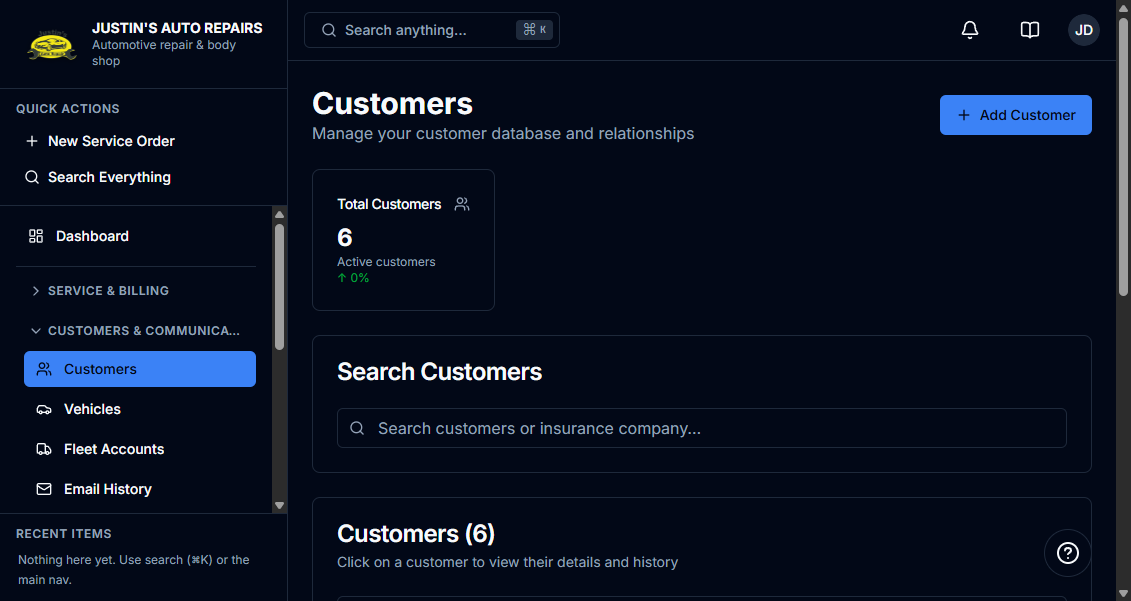
- Open Customers & Communications and choose Customers.
- Add or open the customer, then the vehicle. See How to add a customer.
- Open Service Orders and choose New Service Order for a walk-in or an estimate. See How to create a service order.
- Open Invoices when you are billing a completed job. See How to create an invoice.
- Use Search Everything when you only have a name, phone, plate, or order number. See How to search everything.
How you know it worked
Customers is open. The sidebar shows Service Orders and Invoices. Reports & Analytics does not show Reports.
Common snags
- Suppliers is a manager item. You still have Parts Expenses.
- Canned Services can appear under Administration. Company Settings, User Management, Audit Log, and P&L do not.
- You do not see Total Revenue on the dashboard.