How to change a user's role
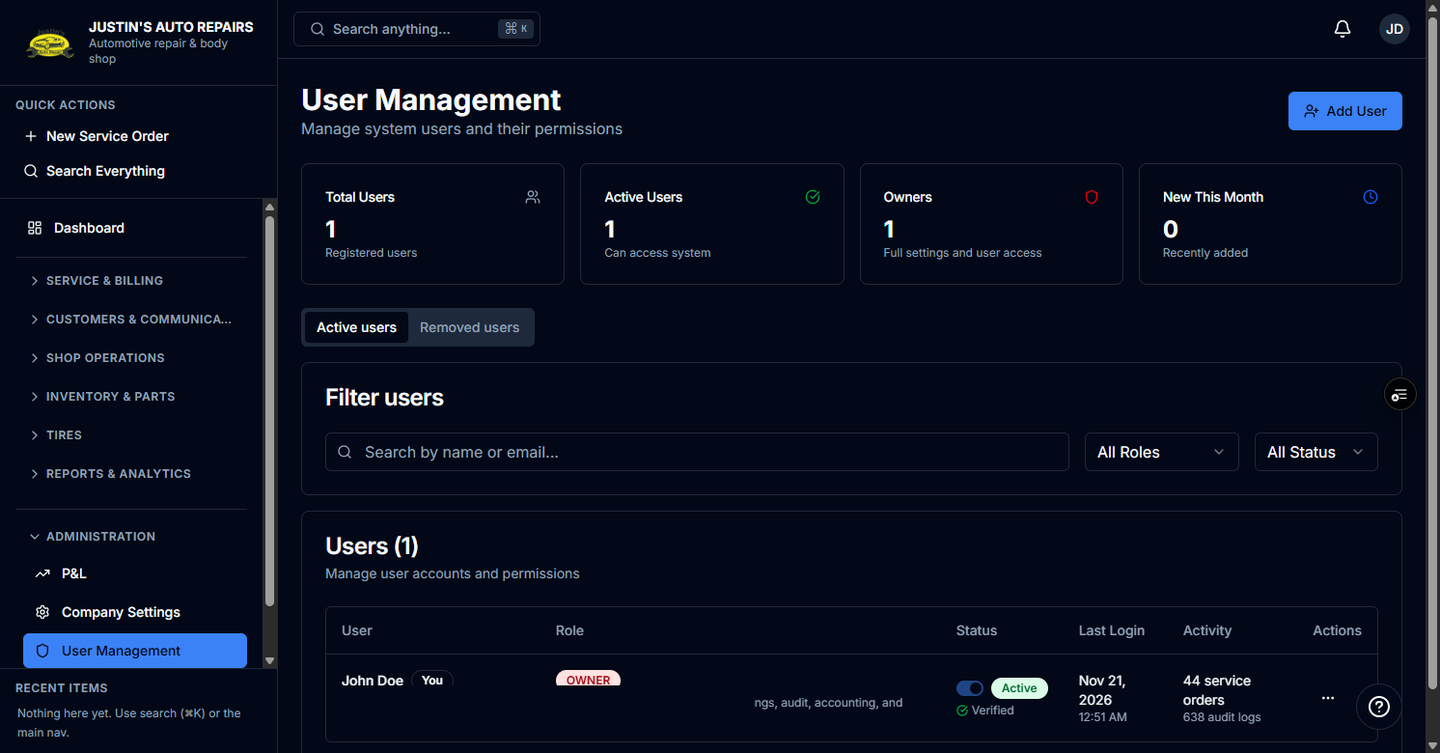
Who this is for
You are the owner changing what someone can do in this shop. The role applies to this shop. In a group with more than one location, the same person can have a different role at each shop.
Before you start
- The person already has a user row. To add someone, see Manage users.
- Owner can open settings, users, and profit. Manager can approve work and open summary reports. Accountant can open invoices, payments, accounting reports, and data export. Receptionist handles the counter. Technician works on the job.
Steps
- Open Administration in the sidebar.
- Choose User Management.
- Find the person. Use search or the role filter if the list is long.
- Open the row menu and choose Edit User.
- Choose the new role.
- Choose Update user.
How you know it worked
The list shows the new role. The person sees the matching sidebar the next time their session refreshes.
Common snags
- You cannot open Edit User. Only the owner can change roles.
- You changed your own role away from Owner and lost this page. Another owner has to set you back.
- The person still sees the old menus. Ask them to sign out and sign in again.