How to open scheduling settings
Who this is for
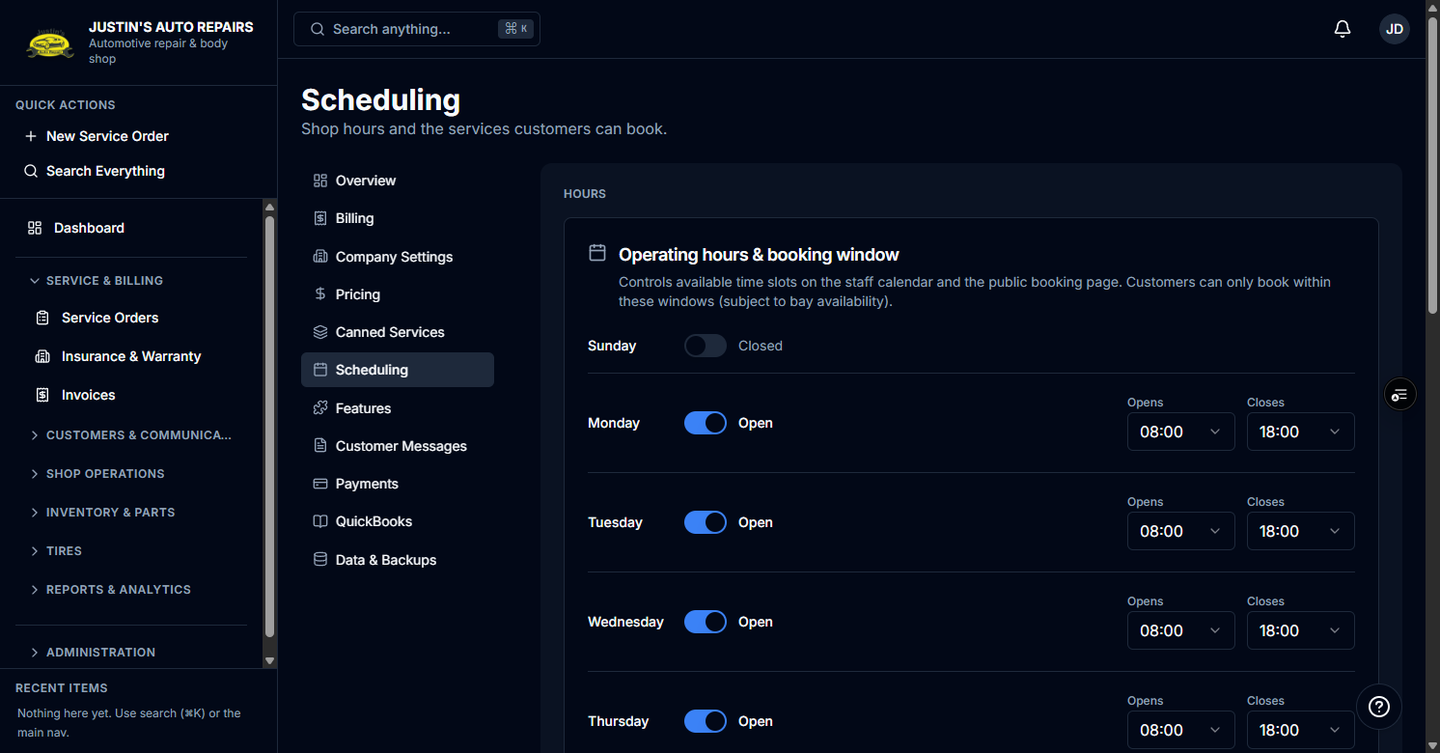
You are the owner opening shop hours and the services customers can book. The hours and bays themselves are set in Set shop hours and bays.
Before you start
- The Scheduling module is on. If Scheduling is missing from Settings, contact BayOps support.
- Public booking uses these hours. Customers book at
/book/{your-shop-slug}only while scheduling is on.
Steps
- Open Settings.
- Choose Scheduling.
- Follow Set shop hours and bays to set hours, bays, and bookable services.
How you know it worked
The page title is Scheduling, and the description says shop hours and the services customers can book.
Common snags
- Scheduling is not in the Settings list. The module is off. There is no scheduling switch under Features.
- Customers say the booking page is unavailable. Hours saved here do not help until the Scheduling module is on.
- A canned service should be bookable online. Link it from this section after you create it in Manage canned services.