How to connect QuickBooks in Settings
Who this is for
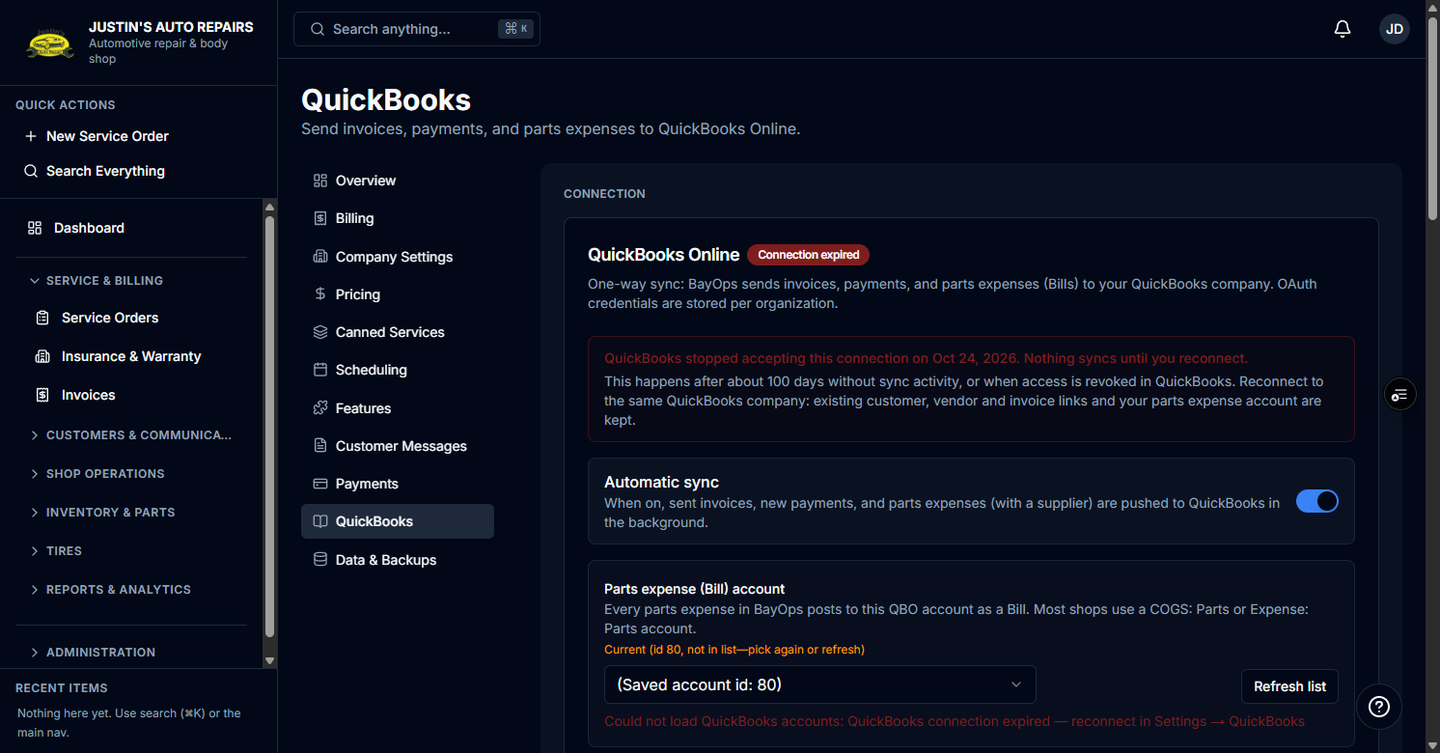
You are the owner opening the QuickBooks section. The connection steps, what syncs, and how to retry a failed invoice or bill are in Connect QuickBooks.
Before you start
- The QuickBooks module is on. Enterprise includes it. BayOps support enables it per shop.
- You are the owner. Other roles can see sync badges on invoices and parts expenses, and they cannot connect the company.
Steps
- Open Settings.
- Choose QuickBooks.
- Follow Connect QuickBooks from Connect QuickBooks through automatic sync and the parts expense account.
How you know it worked
QuickBooks is in the Settings list, and after you connect, the section shows the connection time and Sync history.
Common snags
- QuickBooks is not in the Settings list. The module is off. Contact BayOps support. There is no QuickBooks switch under Features.
- You only needed to push one invoice or one supplier bill. Use Sync an invoice to QuickBooks or Sync a supplier bill to QuickBooks.